
While working on web applications, sometimes we come across a situation where we need to import a CSV or Excel file into the database. It’s a preferred way of importing large data rather than inserting it manually. Writing a script that adds hundreds of records automatically will save a ton of time.
To accomplish such tasks, you have to build a program that can read data from these spreadsheets(CSV or Excel). Once you’re able to read it programmatically, records can easily be inserted into the database.
PhpSpreadsheet is the library that helps you to read CSV and Excel files. The library provides support for reading and writing different types of file formats. Below is the screenshot of the supported file formats.

- xPlayUnmuteFullscreenhttps://imasdk.googleapis.com/js/core/bridge3.695.1_en.html#fid=goog_2114568487Advertisement: 0:11
-
 Now Playing

x
Play Video
Node.js Papaparse Tutorial to Parse & Read Excel File & Export to CSV Using read-excel-file Library
Share

Node.js Papaparse Tutorial to Parse & Read Excel File & Export to CSV Using read-excel-file Library

Before I came to know about this library, I was using fgetcsv method for reading the CSV file. And for the Excel files, I needed to convert the Excel to CSV first and then read it using the fgetcsv() function.
PhpSpreadsheet simplifies this task for developers. It becomes easier to handle the data from CSV and Excel files. You don’t need to convert Excel to CSV; the library directly reads the Excel file.
That being said, let’s take a look at how to read CSV and Excel files using PhpSpreadsheet.
Installation of PhpSpreadsheet Library
For installing this library, I recommend using Composer. Open the terminal in your project root directory and run the command:
composer require phpoffice/phpspreadsheet
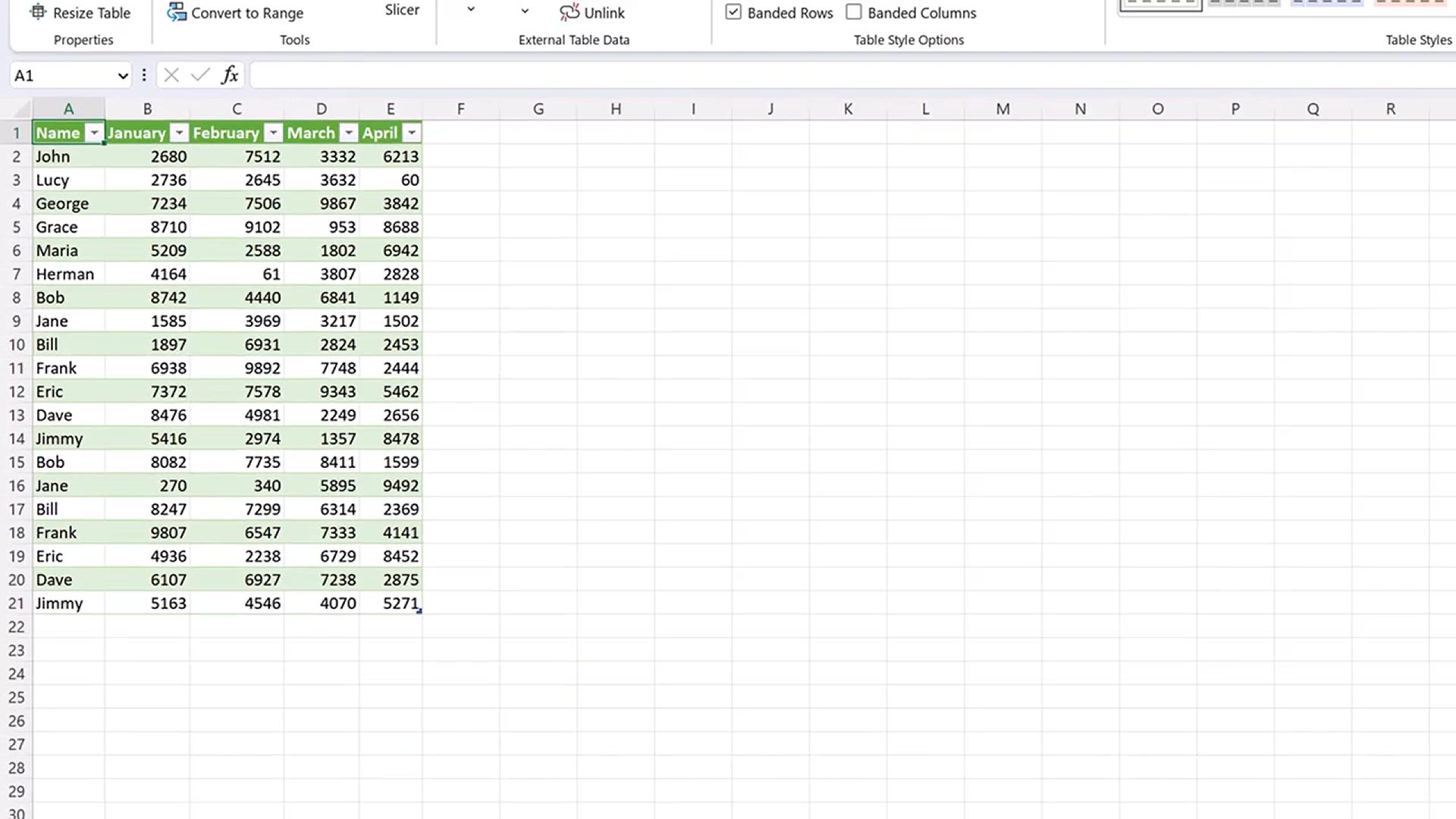
In the next part of the tutorial, I will read both CSV and Excel files. We collect the rows from these files and insert them into the database. For this, I created dummy files with some fake data as follows:

To store these records, I am creating the users table in the database.
CREATE TABLE `users` (
 `id` int(11) NOT NULL AUTO_INCREMENT,
 `name` varchar(255) DEFAULT NULL,
 `email` varchar(255) DEFAULT NULL,
 `company` varchar(255) DEFAULT NULL,
 PRIMARY KEY (`id`)
) ENGINE=InnoDB DEFAULT CHARSET=utf8mb4;
Here, I created a table matching my spreadsheet. The user should change the table structure as per their dataset.
Next, create the config.php file which holds the code for the database connection.
config.php
<?php
$db_host = 'DB_HOST';
$db_username = 'DB_USERNAME';
$db_password = 'DB_PASSWORD';
$db_name = 'DB_NAME';

$db = new mysqli($db_host, $db_username, $db_password, $db_name);

if($db->connect_error){
    die("Unable to connect database: " . $db->connect_error);
}
Make sure to replace the placeholders with their actual values.
Read CSV and Excel Files in PHP
Now comes the actual coding part. First, create a form that will have a file input and submit button. The user uploads their CSV or Excel file and hits the submit button. On form submission, we read the entries of the uploaded file and send it to the users table.
<form method="post" enctype="multipart/form-data">
    <input type="file" name="file" />
    <p><button type="submit" name="submit">Submit</button></p>
</form>
The code which will execute on the form submission will be as follows.
<?php
require_once 'vendor/autoload.php';
require_once 'config.php';

use PhpOffice\PhpSpreadsheet\Spreadsheet;
use PhpOffice\PhpSpreadsheet\Reader\Csv;
use PhpOffice\PhpSpreadsheet\Reader\Xlsx;

if (isset($_POST['submit'])) {

    $file_mimes = array('text/x-comma-separated-values', 'text/comma-separated-values', 'application/octet-stream', 'application/vnd.ms-excel', 'application/x-csv', 'text/x-csv', 'text/csv', 'application/csv', 'application/excel', 'application/vnd.msexcel', 'text/plain', 'application/vnd.openxmlformats-officedocument.spreadsheetml.sheet');

    if(isset($_FILES['file']['name']) && in_array($_FILES['file']['type'], $file_mimes)) {
        $extension = pathinfo($_FILES['file']['name'], PATHINFO_EXTENSION);

        if('csv' == $extension) {
            $reader = new \PhpOffice\PhpSpreadsheet\Reader\Csv();
        } else {
            $reader = new \PhpOffice\PhpSpreadsheet\Reader\Xlsx();
        }

        $spreadsheet = $reader->load($_FILES['file']['tmp_name']);

        $sheetData = $spreadsheet->getActiveSheet()->toArray();

        if (!empty($sheetData)) {
            for ($i=1; $i<count($sheetData); $i++) { //skipping first row
                $name = $sheetData[$i][0];
                $email = $sheetData[$i][1];
                $company = $sheetData[$i][2];

                $sql = sprintf("INSERT INTO USERS(name, email, company) VALUES('%s', '%s', '%s')", $db->real_escape_string($name), $db->real_escape_string($email), $db->real_escape_string($company));
                $db->query($sql);
            }
        }
        echo "Records inserted successfully.";
    } else {
        echo "Upload only CSV or Excel file.";
    }
}
?>
In the above code, I am finding the type of file whether it is CSV or Excel. Then I am reading the file using the functions provided for these file formats. For instance, to read CSV files the following statement will be used.
$reader = new \PhpOffice\PhpSpreadsheet\Reader\Csv();In terms of Excel files, the statement will be
$reader = new \PhpOffice\PhpSpreadsheet\Reader\Xlsx();This $reader The object loads the spreadsheet and builds an array of records from it. We then loop through this array and add records to the database.
I hope you understand how to read CSV and Excel files using PhpSpreadsheet.