
How to Close Nodemailer Transport in Node.js
Nodemailer is a widely used Node.js module for sending emails via SMTP, Sendmail, or third-party APIs. While it makes sending emails easy, many developers overlook the importance of closing the transport connection after sending an email.
If the connection stays open unnecessarily, it can cause:
- Memory leaks
- Wasted server resources
- Mail server connection limit errors
Today, we will explore how to close Nodemailer transport, SMTP, and pooled connections. We will also learn when to keep the connection open.
An Overview
- Why Closing Nodemailer Transport is Important
- Example
- Nodemailer Connection Pool: When to Keep It Open
- Which Approach Should You Use?
- Error Handling in Nodemailer
Why Closing Nodemailer Transport is Important
When Nodemailer creates a transport (e.g., using SMTP), it establishes a connection to the mail server. If we don’t close it:
- The connection remains open in the background.
- The mail server may terminate idle connections.
- The app may hit SMTP connection limits.
By calling `.close()` after sending an email, we ensure proper cleanup and efficient resource usage.
Subscribe to our newsletter for the latest updates, news, and features.
Let’s Go!
Example: Close Nodemailer SMTP Connection After Sending Email
If we send emails occasionally, we need to close the connection right after sending:
const nodemailer = require('nodemailer');
// Create SMTP transporter
const transporter = nodemailer.createTransport({
host: 'smtp.example.com',
port: 587,
auth: {
user: 'your_username',
pass: 'your_password',
},
});
// Email details
const mailOptions = {
from: '',
to: '',
subject: 'Test Email',
text: 'This is a test email sent using Nodemailer!',
};
// Send email and close connection
transporter.sendMail(mailOptions, (error, info) => {
if (error) {
console.error('Error sending email:', error);
} else {
console.log('Email sent successfully:', info.response);
}
transporter.close(); // Close SMTP connection
});

Here, `transporter.close()` explicitly closes the connection. Also, it is ideal for low-frequency emails.
Nodemailer Connection Pool: When to Keep It Open
Nodemailer’s SMTP transport can use a connection pool that keeps the connection open for multiple messages.
This avoids the overhead of reconnecting for every email, making it faster for bulk or frequent sending.
Example with connection pool:
const smtpTrans = nodemailer.createTransport({
host: 'smtp.example.com',
port: 587,
auth: {
user: 'your_username',
pass: 'your_password',
},
pool: true // Keep connection alive
});
smtpTrans.sendMail(mailOptions, (err, info) => {
if (err) {
console.error('Error:', err);
} else {
console.log('Email sent:', info.response);
}
smtpTrans.close(); // Close pool when done
});
Copy Code
We can use connection pooling if we are sending bulk emails (e.g., newsletters) or sending multiple emails per minute.
Which Approach Should You Use?
| Use Case | Recommended Approach |
|---|---|
| One email per hour/day | Create transport → Send → Close immediately |
| Multiple emails per minute | Use a connection pool, close after batch |
| Bulk campaigns | Keep the pool open during the sending process |
Error Handling in Nodemailer
Nodemailer reports all errors in the first parameter of the `sendMail` callback:
smtpTrans.sendMail(mailOptions, (err, responseStatus) => {
if (err) {
console.error('Email failed:', err);
} else {
console.log('Email sent:', responseStatus);
}
smtpTrans.close();
});
Copy Code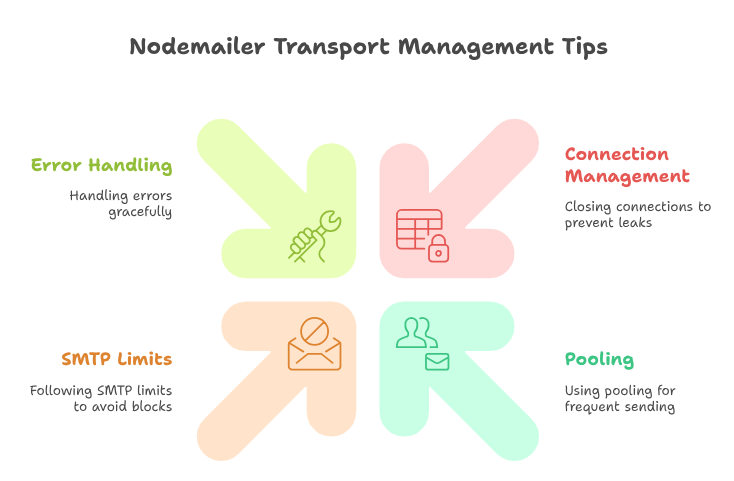
Here are some bonus tips to avoid errors:
- Always log errors.
- Retry sending if the error is network-related.
- Ensure the connection is closed even if sending fails.
[Need assistance with a different issue? Our team is available 24/7.]